Lone Peak V2 Juicebox Wiring Diagram

Overview
The Lone Peak Juicebox is the main control center for all powered accessories inside your Lone Peak V2 camper. Whether you are using the physical buttons on the Juicebox hardware or the mobile app on iOS and Android, you can control your camper lighting, charging, ventilation, and accessory power from one simple system.
This post is designed to help owners understand the Juicebox wiring diagram, channel layout, wire colors, and accessory connections.
What the Juicebox Controls
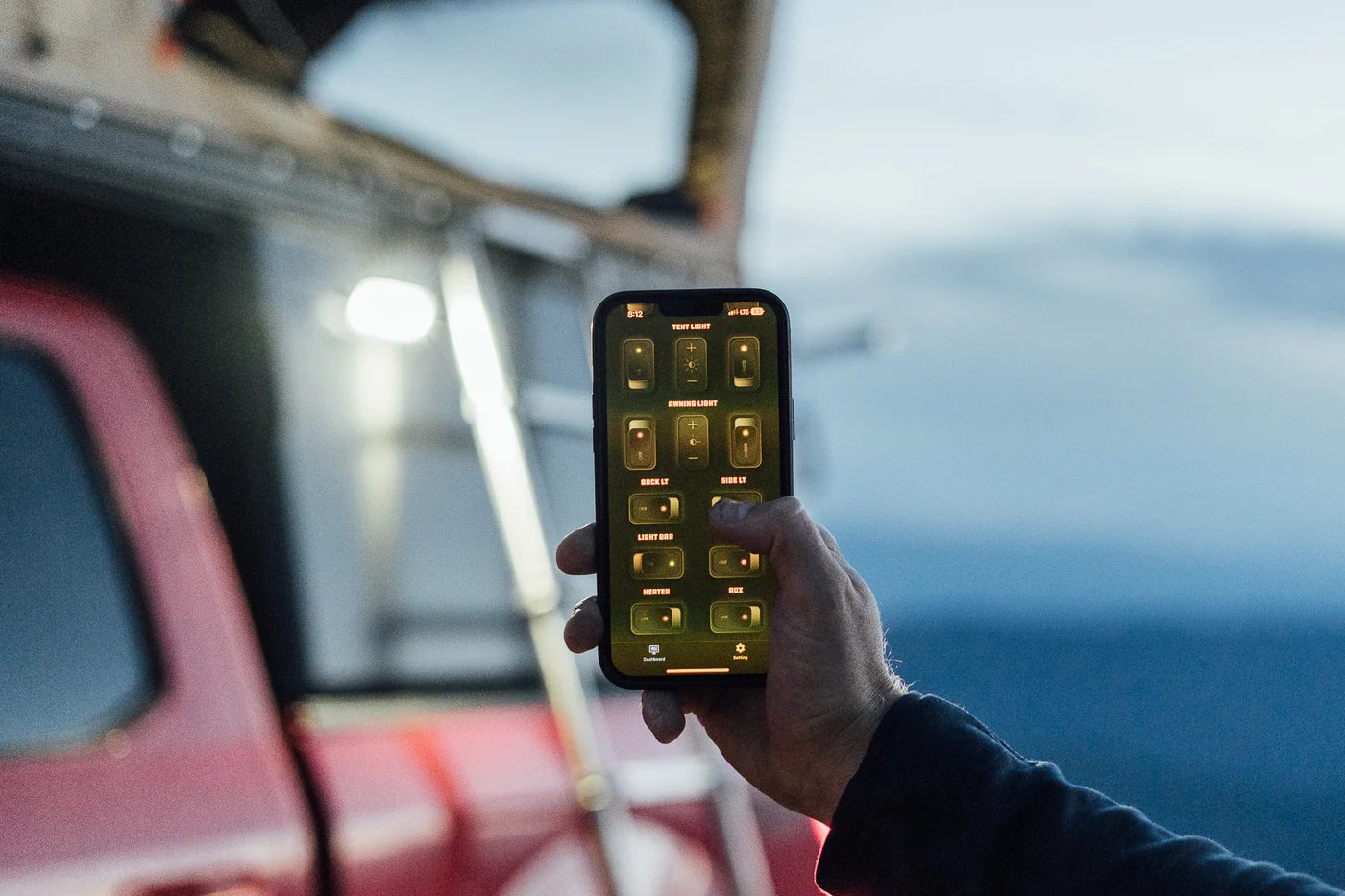
The Juicebox includes 9 total accessory channels that can be used to control compatible 12V accessories in your camper.
All accessories are sold separately. Depending on how your camper is optioned, your Juicebox may be connected to several accessories, only a few accessories, or no lighting/accessory options at all. If a channel is not being used by a Lone Peak accessory, that open channel can be used for compatible DIY 12V projects.
Common Juicebox channel uses include:
- Tent Lights
- Side Lights
- Back Lights
- Backup Lights
- Chase Lights
- Light Bar
- Vent Fan
- Diesel Heater
- Aux Port
The three lighting channels for Tent Lights, Side Lights, and Back Lights are designed for the Three Zone Interior Lighting system. When those lighting options are installed, they include brightness control and allow you to switch between white light at 4000K and amber light at 2700K.
If those lighting options are not installed, those channels are available for other compatible 12V uses.
The Aux Port can be used with the included USB-C and USB-A fast charger, typically mounted near your bed so you can keep phones, cameras, headlamps, GPS units, and other gear charged while camping. You can also use the Aux Port for another compatible 12V accessory if it better fits your setup.
DIY Accessory Flexibility
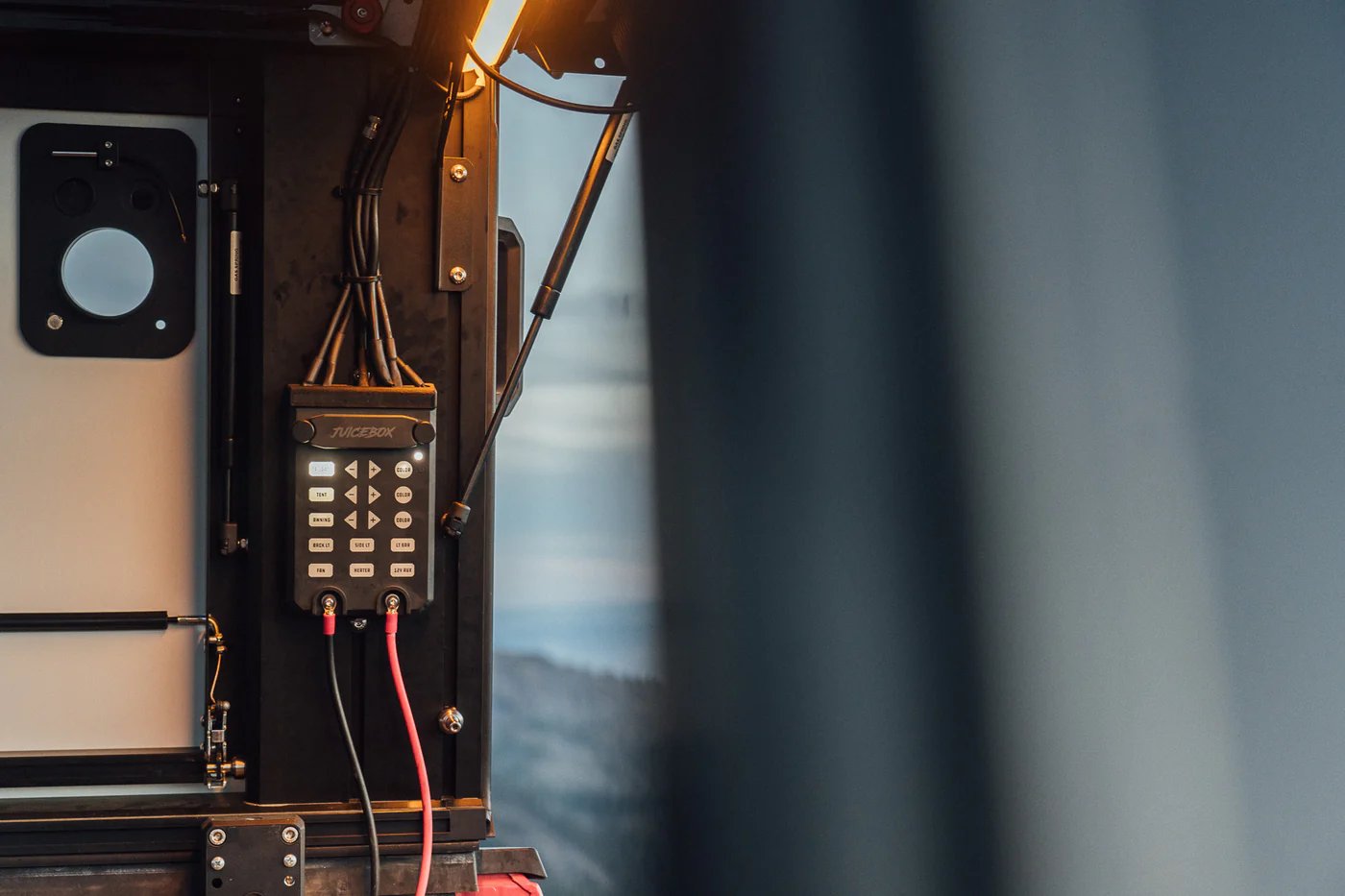
One of the benefits of the Juicebox system is that unused channels do not have to sit empty. If your camper does not have one of the accessories shown in the wiring diagram, that channel is available for DIY use.
For example, if you do not have chase lights, a light bar, a vent fan, a heater, or one of the lighting zones installed, that slot can be used for your own compatible 12V accessory. This gives owners flexibility to customize their camper around the way they camp, travel, work, or explore.
Because Juicebox channels are renameable in the app, you can label open DIY channels to match whatever accessory you choose to install.
Juicebox Power Input
The Juicebox uses a 12V input with a maximum input of 15V. It can be connected to a portable power station, the Lone Peak Power Plate, or an aftermarket power setup.
A 12-foot cable is included for connecting the Juicebox to your battery or power source. If you plan to connect the Juicebox to an aftermarket power system, you may need to supply the correct adapter for your specific setup.
For the best experience, we strongly recommend using a secondary battery in the bed of your truck, either portable or permanently installed. While the Juicebox does include an app-programmable low-voltage cutoff to help protect your truck battery, a dedicated house battery or portable power system is the better long-term solution for running camper accessories.
Built-In Fuse Box and App Control
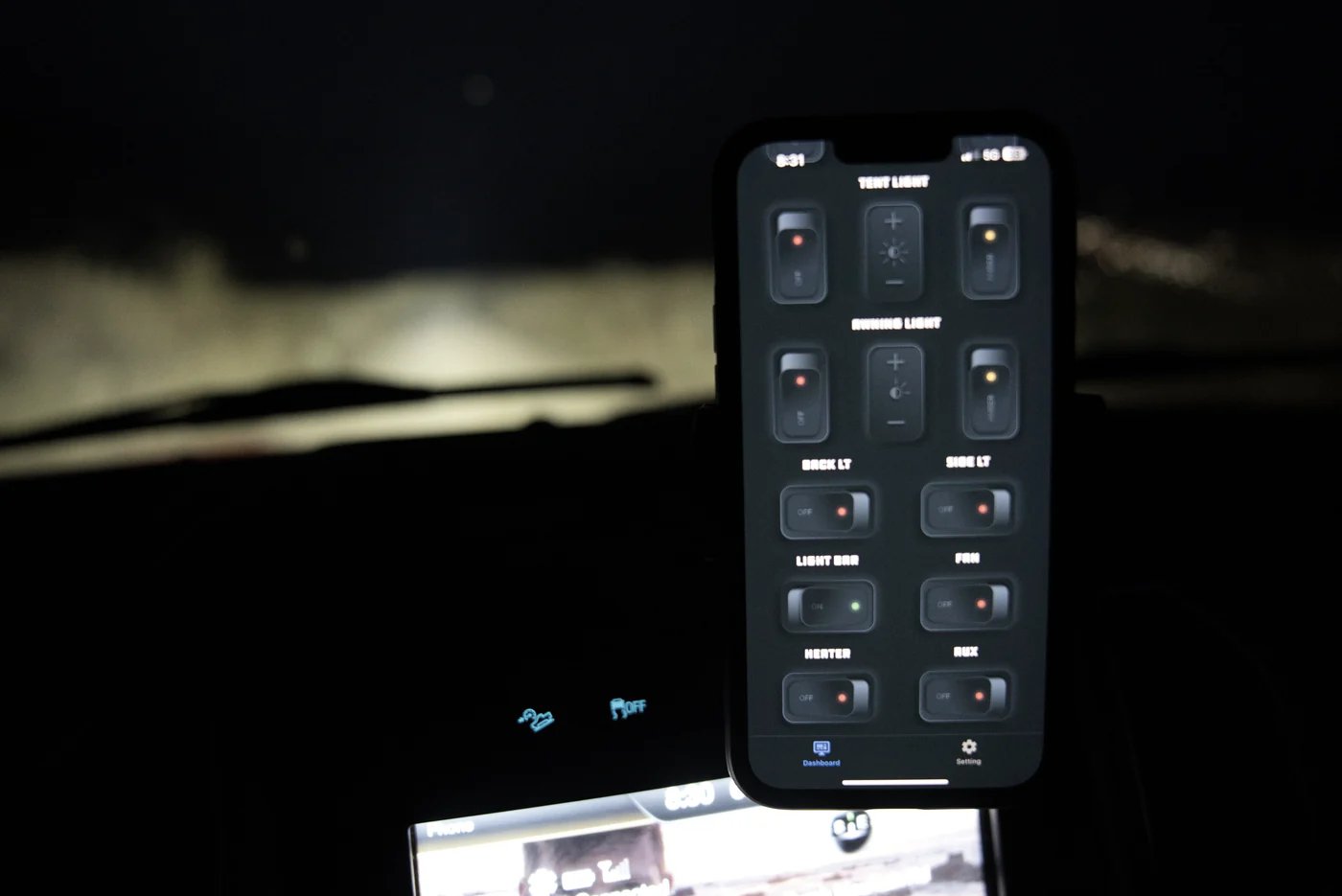
The Juicebox includes a built-in fuse box, making it easier to manage and protect powered accessories from one central location.
Through the Juicebox app, you can:
- Rename each channel
- Adjust compatible lighting brightness
- Switch compatible lights between white and amber
- Set the low-voltage cutoff
- Turn off status lights for a darker sleeping area
- Enable auto-connect
- Control connected accessories from your phone
Juicebox Mounting Location
Wiring Diagram Channel Layout
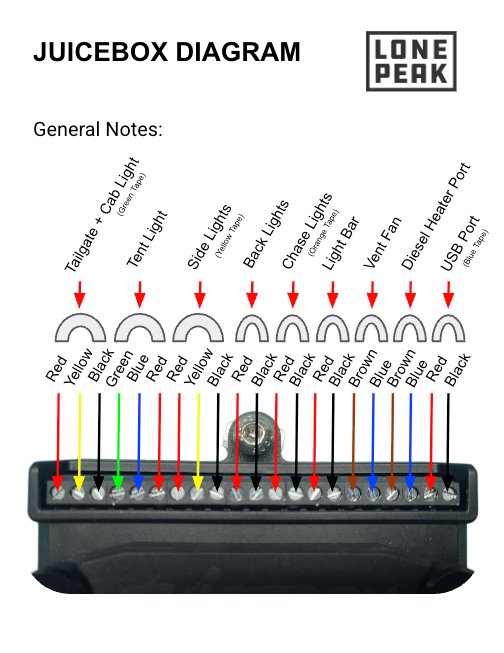
The Juicebox wiring diagram identifies the wire colors and channel positions for common accessory connections, including the taillight/cab light connection, tent lights, side lights, back lights, chase lights, light bar, vent fan, diesel heater port, and USB/Aux port.
Use this diagram as a reference when identifying Juicebox wiring, troubleshooting accessory power, planning accessory upgrades, or understanding how your Lone Peak camper’s electrical system is laid out.
The Juicebox is designed to simplify 12V accessory control in your Lone Peak camper, giving you one flexible hub for lighting, charging, ventilation, heat, and future upgrades.
For more Information:
Discussion (2)