How Bounties Work

Cainen Buchanan
@CainenB ·
How Bounties Work on Trailhead
Bounties are how we reward you for making the Trailhead community better. We post a task, you complete it, we review it, and you get a gift card + points + a badge for your trouble. Everything you make gets published back to the community so the next overlander benefits from your work.
If you've ever taken a photo of a trail, run through a new set of MAXTRAX, or laid awake wondering if anyone else has driven the Hole in the Rock Road in a rig heavier than yours — you already have the skills. This is just us paying you for it.
Where to find them
Open the Ranks tab from the bottom nav, then tap BOUNTIES. You'll see every open bounty with:
- The reward (dollars, points, or both)
- How many slots are left
- The deadline
- A category chip so you know what kind of task it is
Anything with slots left is fair game. Tap a card to open the details.
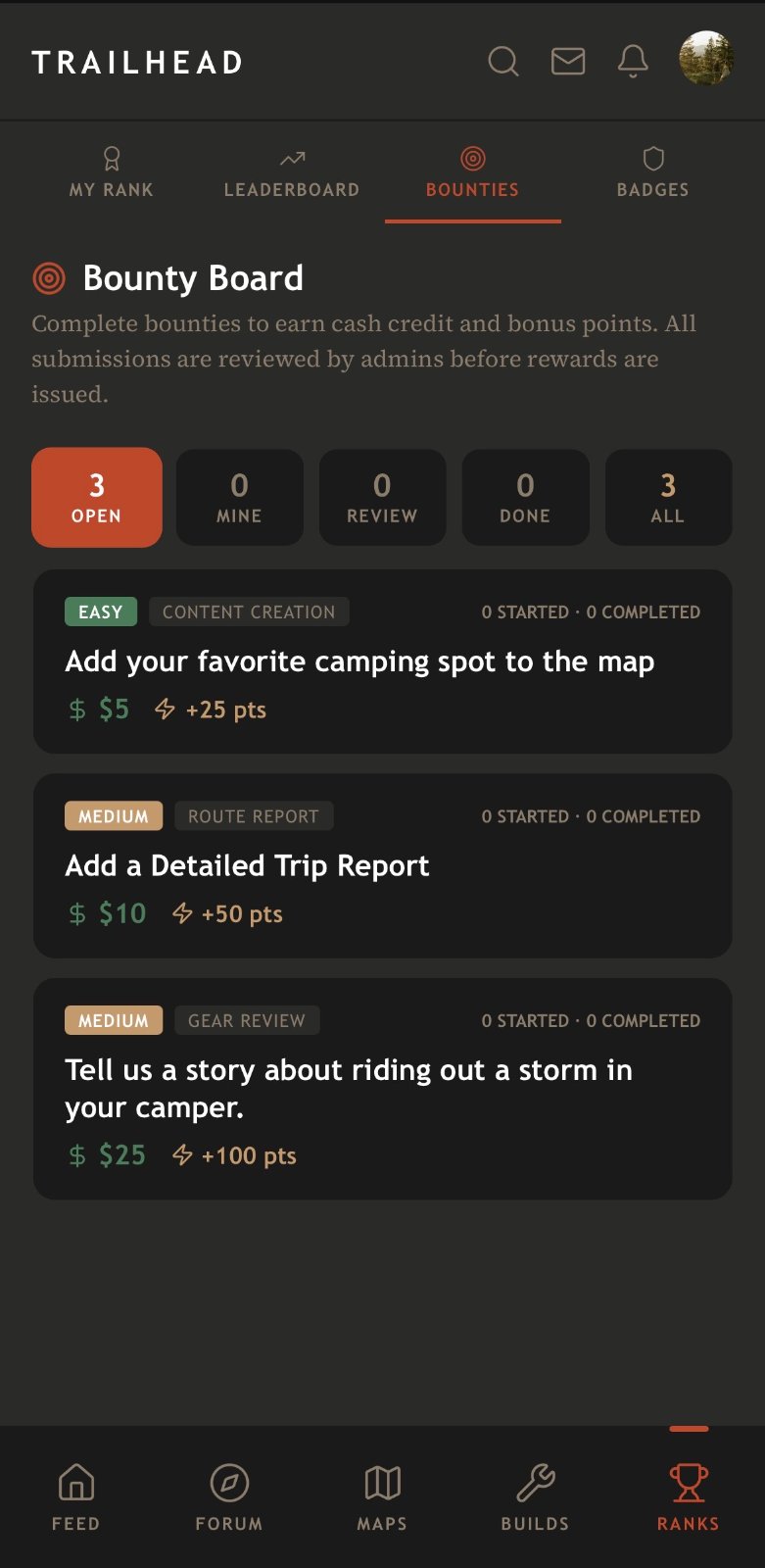 0, and write a storm story for
Loading Trailhub...
5">The five kinds of bounties
Gear Review — Write a structured review of a piece of overlanding gear. We give you the section outline (Testing, Performance, Pros / Cons, Final Verdict); you fill it in with real trail data + photos. Publishes to the Gear Reviews forum with your byline.
Route Report — Document a trail we haven't covered yet. Live-track it or drop the pins manually, add photos + notes to each waypoint, describe conditions.
Build Feature — Show off a build in more detail. Which vehicle, which mods, cost breakdown, lessons learned. Publishes to the Build Showcases forum with a VIEW IN BUILD GALLERY card that links straight to your build detail page.
Content Creation — Wide open. How-tos, camp kitchen setups, recovery tutorials, whatever the bounty asks for. Structured post, photos required, publishes to the community.
Demo Request — A customer wants to see a Lone Peak product in the wild. You bring your rig, meet up with them, walk them through it, and submit proof. Highest reward tier because it takes the most coordination. First-come, first-served on a per-customer basis; scheduling happens over DM.
Claiming and filling out the form
Tap CLAIM BOUNTY on the bounty page.
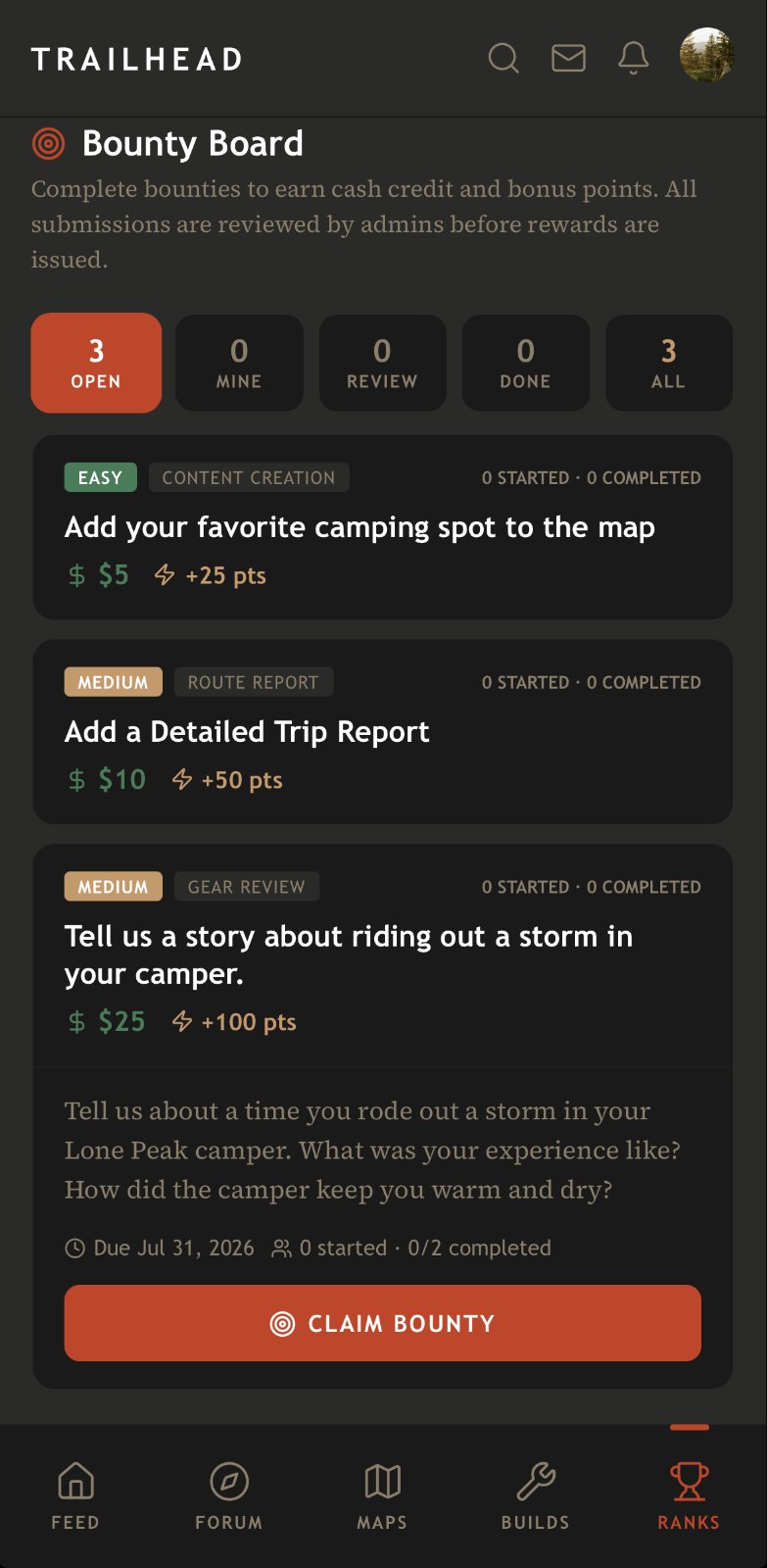 0), and storm camping story (
Loading Trailhub...
5) with point rewards">Fill out the form. We auto-save every 1.5 seconds — you can close the app, come back tomorrow, and pick up right where you left off. Photos upload the moment you add them, so an in-progress draft is safe from a bad connection.
A few block types to know:
- Photos + Short Video — you can add captions to each.
- URLs — put the target URL in the top field, and optionally what the link should say in the second field. So a link to a product page can read "MAXTRAX MKII on Amazon" instead of the raw URL.
- Build selector — pick one of your builds from the dropdown. The published post gets a full CTA card linking to that build.
- Hero image — the dedicated Hero block is what shows up as the article banner + the social share image + the forum card thumbnail. Different from the inline photo blocks.
What happens after you submit
An admin reviews every submission before it publishes. Turnaround is usually within a day or two. Three outcomes:
- Approved — the reward hits your account and the post publishes. You get a notification.
- Changes requested — the reviewer tells you what to fix; the bounty is still yours; you edit and resubmit.
- Rejected — this only happens when a submission is clearly off-topic or low-effort. Your slot is released and you can claim another bounty.
Being thoughtful about what the bounty is actually asking for is 90% of what gets you approved. If it says "10+ photos of key obstacles," ten random shots of your rig don't count. If it says "real-world testing conditions," we want to see the mud, not the showroom shot.
Getting paid
Cash rewards go to a Lone Peak Overland gift card. If it's your first payout, one is created for you automatically. Every future payout tops up the same card, so your balance just grows. Redeem it whenever you want at lonepeakoverland.com — you can spend part of it, save the rest for later.
Minimum payout request is
Loading Trailhub...
5. Once you're above that, hit REQUEST PAYOUT on your Bounty Earnings card and we'll process it within a couple business days.
You can reveal your gift card code from the same card — it's stored owner-only so no one else on Trailhead can see it, and we never put it in notification bodies (lock-screen safety).
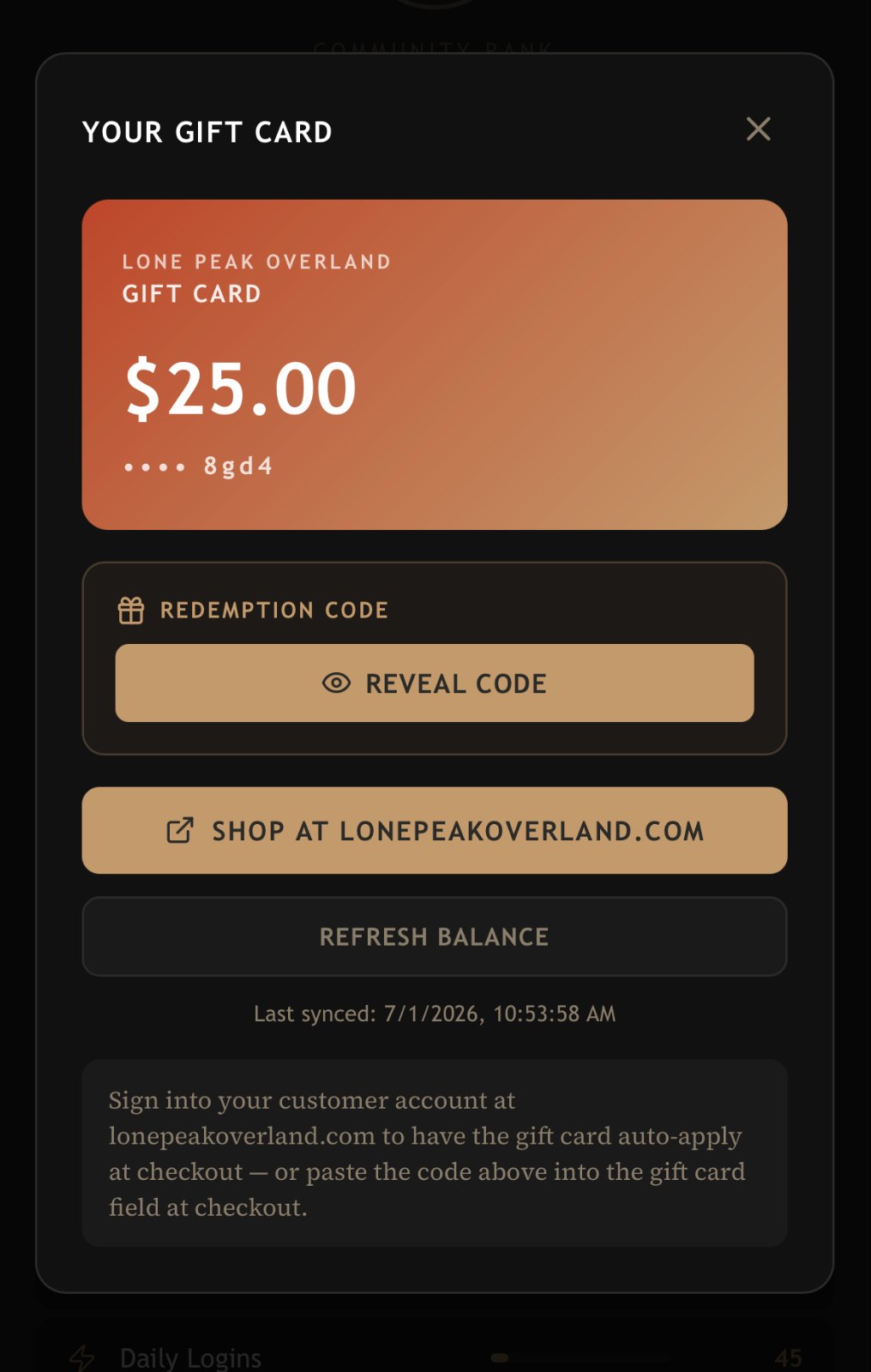 Loading Trailhub...
5.00 balance with redemption code and shopping options">
Loading Trailhub...
5.00 balance with redemption code and shopping options">Points and badges
Every approved bounty also awards loyalty points which climb your rank in the community.
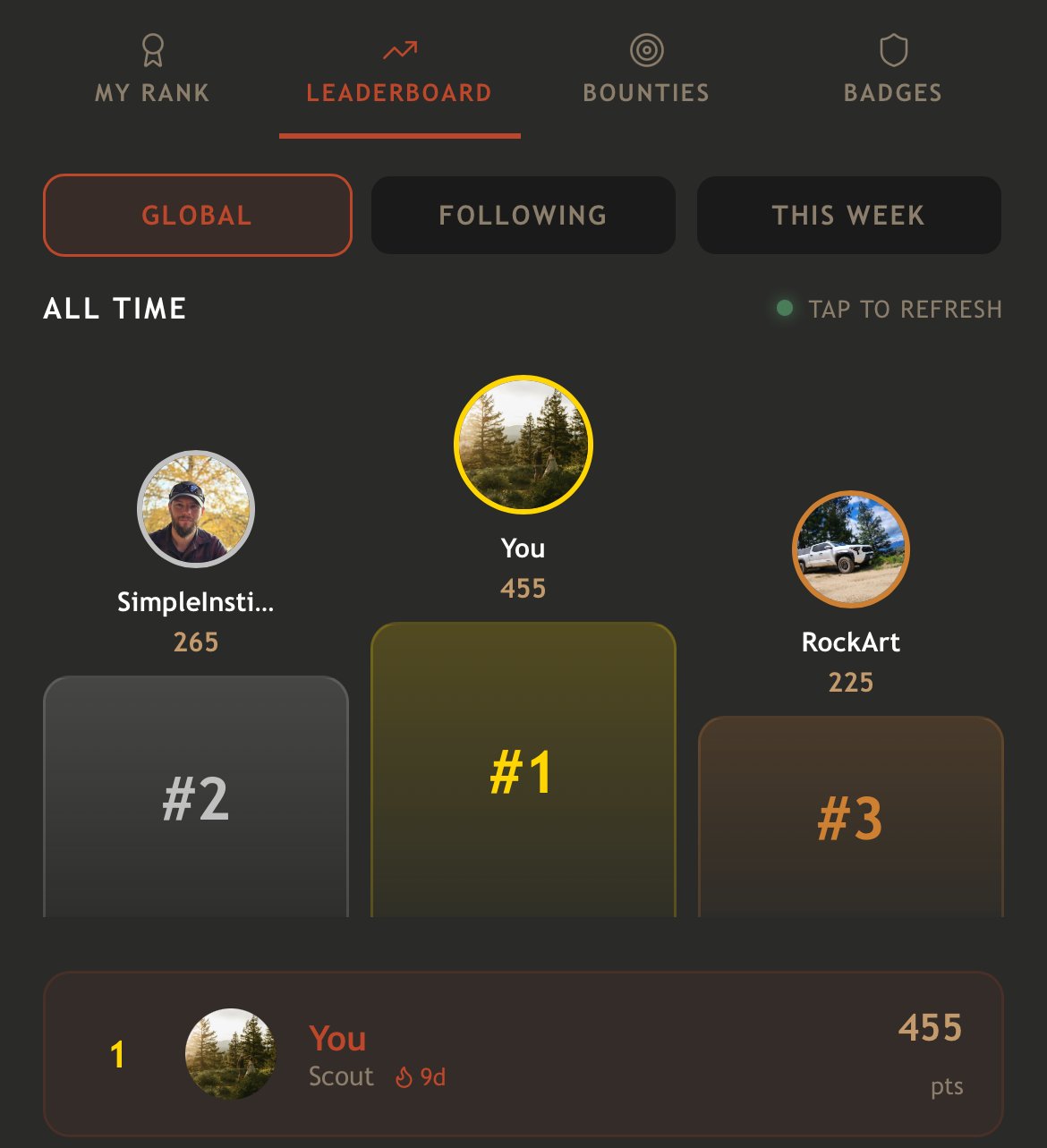
And every approval ticks two badge ladders:
- Bounty Hunter — 1 / 5 / 25 / 100 approved bounties
- Demo Specialist — 1 / 3 / 10 / 25 approved Demo Requests (subset of Bounty Hunter — a demo counts toward both)
Badge unlocks fire a toast the moment they land. You can see your full progress on Ranks → BADGES.
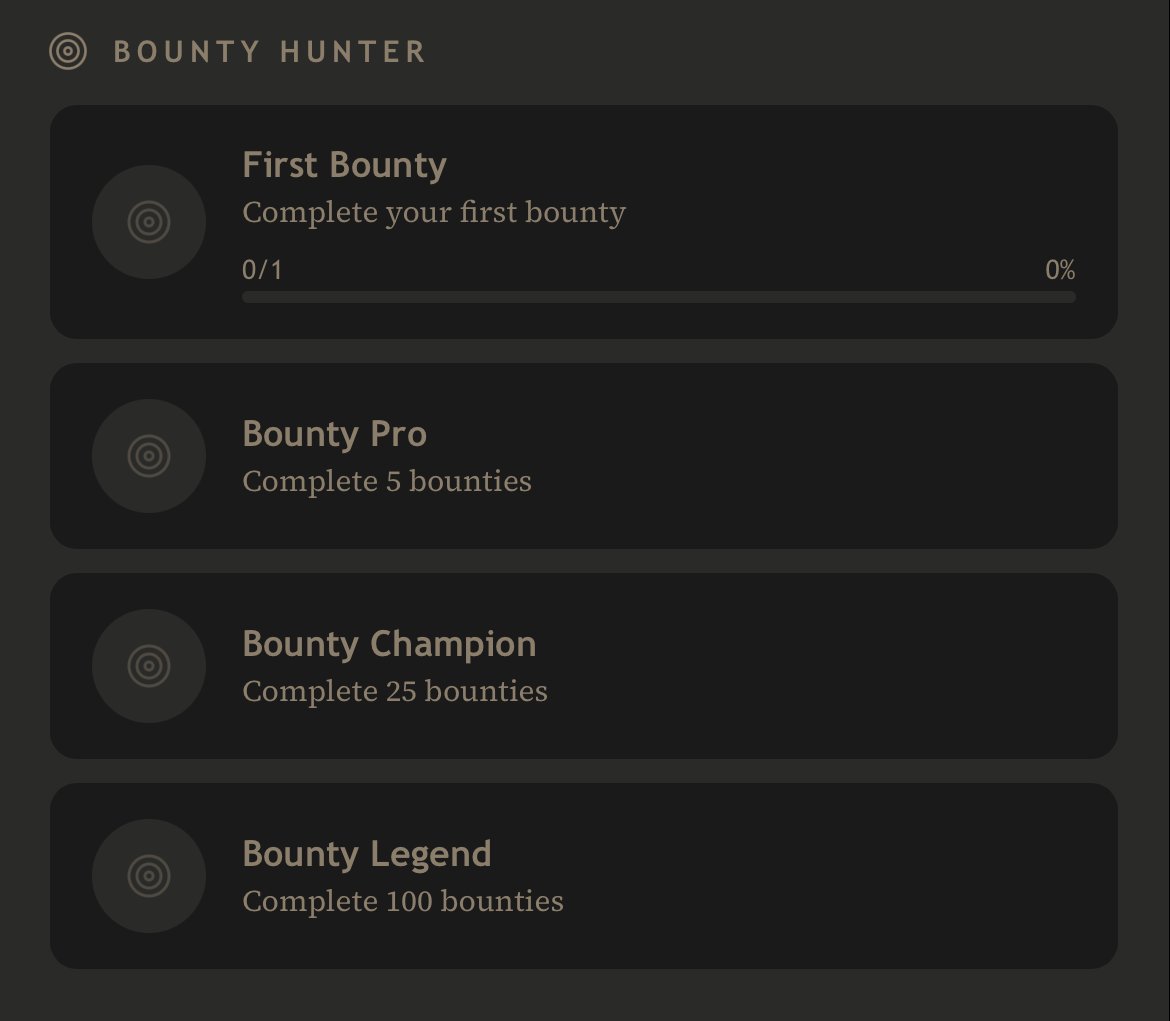
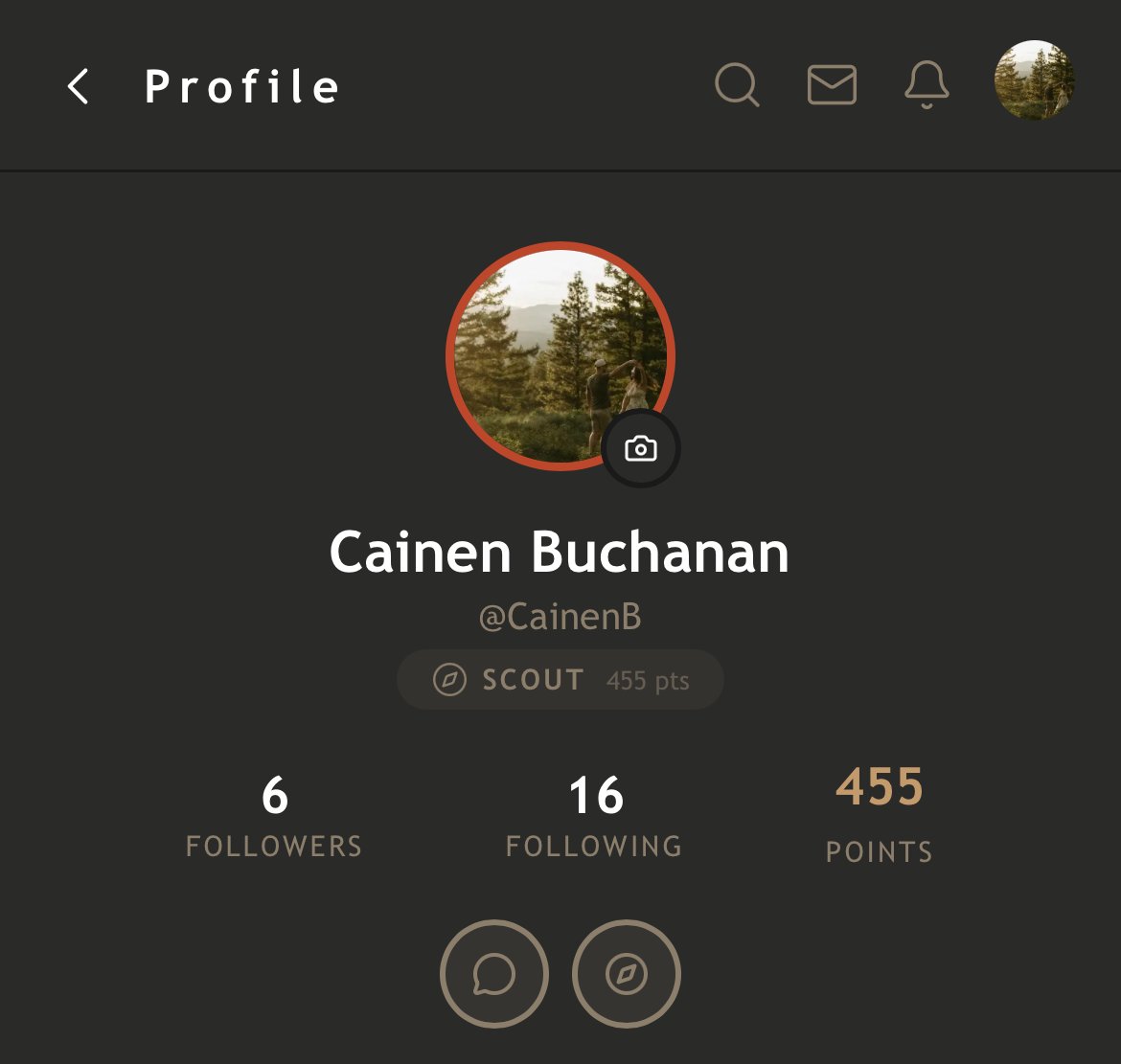
You can also see any users Rank and Badges on their profile page.
73 views
1 reply
Discussion (1)

Jackson F.
· @GravelGuideJackson
·
Sweet!